


AI Chat・Ask Chatbot Assistant
4.61.62K Reviews
App Specs
- Version
- 2.2.7
- Updated On
- License
- Free
- Downloads
- 10,000,000+
- Developer
- AI Chat Studio
- Categories
- Productivity
- Platform
- Android, iOS
Screenshots

 Analysis by AppCompare
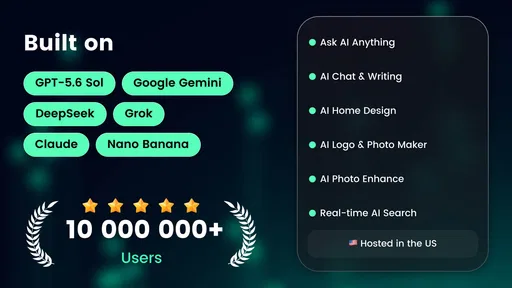
I usually judge an assistant app by whether it helps me get from a vague idea to a useful next step without making the process feel like work. AI Chat・Ask Chatbot Assistant is aimed at that kind of everyday use: asking questions, exploring ideas, and trying creative tasks in one place. It is a free productivity app from AI Chat Studio, and its broad mix of chat and image-oriented tools makes it more of a general-purpose starting point than a specialist editor.
Quick questions, with realistic expectations
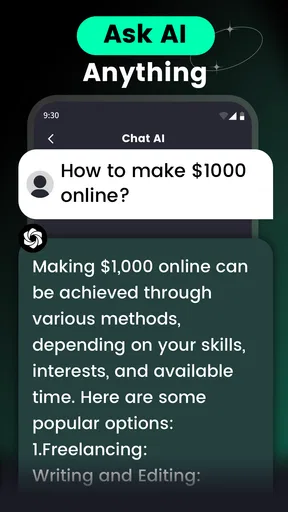
For a simple request, a chat interface can feel faster than opening a search engine, choosing a page, and piecing together an answer yourself. I find that format most useful when I already know what I want to ask but need help shaping the answer: drafting a short message, brainstorming names, or getting a plain-language explanation of an unfamiliar topic. The important distinction is that a quick reply is not automatically a verified one. For health, legal, financial, or time-sensitive decisions, I would treat the response as a starting point and check a dependable source before acting.
When an answer misses the point, adding a little context is often more productive than repeating the same question. I would specify the audience, tone, length, or constraints—for example, asking for a friendly note in two sentences rather than simply requesting “a message.” That small habit can reduce back-and-forth and makes a chatbot more useful even when its first attempt is only a rough draft.
Getting Started
First off, setting up AI Chat・Ask Chatbot Assistant is a breeze. You download it from your respective app store, and within minutes, you’re ready to chat. The interface is clean and intuitive, which is always a plus in my book. No one wants to wrestle with a confusing setup, right?
Once you’re in, the app greets you with a friendly “Hello!” and asks how it can assist you today. It’s like having a personal assistant who’s ready to jump into action. Whether you’re looking to set reminders, ask for information, or just have a chat, this app seems to have you covered.
Creative jobs benefit from a clear brief
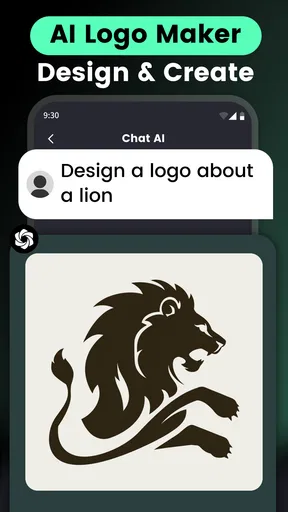
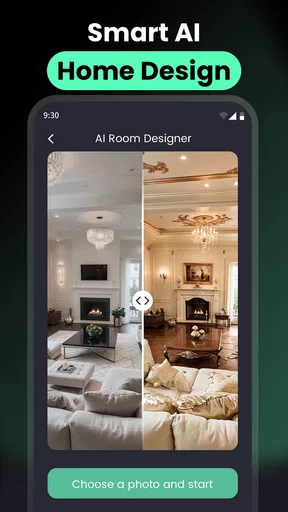
The app’s creative angle is especially useful when I have an idea but not yet a finished plan. For home design, I would describe the room, the style I like, and any practical limits, then use the result as inspiration rather than a blueprint. For a logo concept, I would name the audience and the feeling the design should convey. For tattoo ideas, I would treat generated imagery as a way to compare themes and compositions, not as a substitute for checking a design carefully with an artist.
A useful workflow is to separate exploration from decisions. First ask for several directions, then choose one and request a more focused version with specific changes. That makes it easier to spot what is actually working instead of accepting the first attractive-sounding suggestion. Generated concepts can also be inconsistent, so I would keep the prompt focused and make one change at a time when refining an idea.
Worth Reading Before You Choose

EA SPORTS FC Mobile 26 Is a Bigger Football Game, but It Takes Time

Flipboard Shows What News Apps Must Do Beyond the Feed

Switching to Android Auto Means Rethinking Your Driving Routine

Google Calendar Makes a Crowded Week Easier to Manage

Ludo King Makes the Most of the Minutes Between Plans

Baby Panda World Brings Quick Play to Modern Phones, but Its Game Library Feels Busy
Features Galore
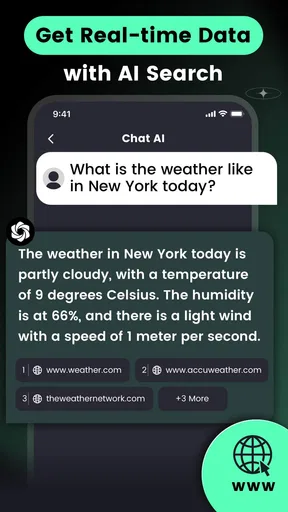
Now, onto the fun stuff—features! The app boasts a variety of functionalities that can make your day-to-day life a tad bit easier. Need to check the weather? Just ask. Want to know the latest news? It’s got you covered. It even has a built-in calendar feature to help keep your schedule in check.
One thing I found particularly cool is its ability to learn and adapt. Over time, the chatbot picks up on your preferences and starts personalizing responses. It’s like it’s getting to know you better with every interaction. Neat, huh?
A practical routine for a busy day
Picture a weekday evening when I need to plan a small get-together, write a quick invitation, and come up with a simple visual theme. I can use the chat to brainstorm a few themes, ask for a concise invitation in a particular tone, and then explore an image idea that matches the direction I chose. The value is in keeping those early-stage tasks together, not in expecting one answer to settle every detail. I would still check dates, availability, and any factual details before sending anything out.
This kind of workflow suits people who switch between small creative and writing tasks. It is less compelling if your day revolves around a single professional task with strict requirements. A dedicated calendar is generally the better choice for dependable scheduling, while a specialist design tool is better when you need precise controls, editable layers, or production-ready files.
Chatting Away
Let’s talk about the chatting experience itself. The responses are quick and surprisingly accurate. Whether you’re throwing it a curveball question or sticking to simple requests, the chatbot handles it with ease. I’ve had a few laughs with some of its witty responses, too. It’s always nice when an app doesn’t take itself too seriously.
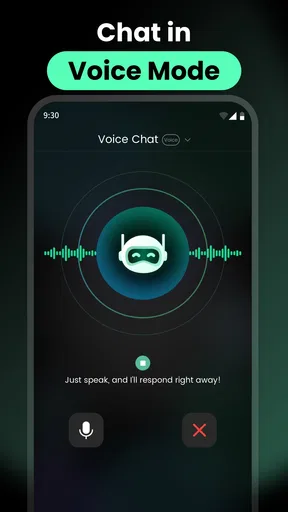
If you’re someone who loves to multitask, you’ll appreciate the voice command feature. Just speak your mind, and the assistant gets to work. It’s perfect for those moments when your hands are full, but you still need something done.
When a different tool is the better fit
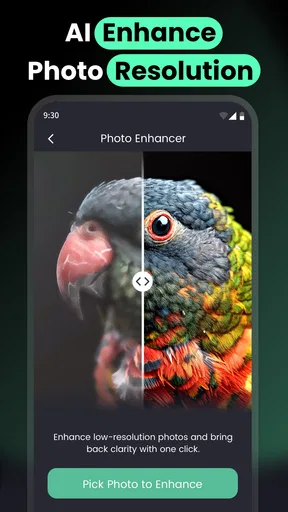
Compared with using separate search, writing, and image apps, a single assistant can make trying an idea feel more direct: I can describe what I need in ordinary language instead of learning several interfaces first. The trade-off is depth. A general chatbot may be convenient for a first draft or a visual prompt, but it should not be mistaken for a dedicated research tool, a fully featured image editor, or a calendar that manages a complicated schedule reliably.
I would recommend it to curious users who enjoy experimenting, students who want help organizing early thoughts, and anyone who often needs a quick draft or creative prompt. I would be more cautious if accuracy is critical, if you need professional-grade design controls, or if you expect the assistant to carry out actions across other services. For those needs, a focused app or a source you can verify is the safer, more efficient choice.
Room for Improvement
Now, as much as I’ve enjoyed my time with the app, there are a couple of things I’d love to see improved. While the chatbot is pretty smart, there are moments when it misunderstands or needs clarification. It’s not a deal-breaker, but it’s something to keep in mind.
Also, while the app is packed with features, it could benefit from more integration with other apps and services. Imagine being able to control your smart home devices directly from this assistant. That would be a game-changer!
Keeping longer sessions useful
During heavier use, such as moving from a writing request to a design prompt and then back to a follow-up question, I would make each task explicit rather than assuming the assistant will carry every detail forward perfectly. A short recap of the goal and the constraints helps keep the next request on track. If a response goes off course, I would correct the specific point instead of starting an entirely new thread of instructions in the same sentence.
That approach also helps with reliability. Chatbots can sound confident while misunderstanding a detail, and generated ideas may need several rounds before they fit. I would save any wording or concept I particularly like outside the conversation if I need to use it later. For important work, keeping a separate copy is a sensible habit regardless of which assistant I use.
Cost, age suitability, and device fit
The app is free to download, with optional in-app purchases priced from $3.99 to $199.99 per item, so I would check the purchase screen carefully before committing to anything. The wide range makes it worth deciding in advance whether occasional experimentation is enough for you or whether you are considering a paid option. I would not pay simply because a first response is imperfect; first try a clearer prompt and see whether that improves the result.
It is rated for Everyone and requires Android 6.0 or later on Android devices. The current version is 2.0.1, and the app was released on April 14, 2023. Those details make it possible to check basic compatibility, but the experience can still depend on the device and connection. I would close other demanding tasks if a phone feels sluggish, keep the app updated, and avoid judging a response as a failure if a temporary connection issue interrupts a request.
What other users’ interest means—and what it doesn’t
AI Chat・Ask Chatbot Assistant has a 4.5 average from around 185,000 ratings, with over 10 million installs and about 1,500 written reviews. That level of uptake suggests many people are willing to try it, but it does not tell me whether it will suit a particular routine or whether every answer will be dependable. I would use popularity as a reason to consider the app, not as a replacement for testing the tasks I actually care about.
Final Thoughts
All in all, AI Chat・Ask Chatbot Assistant is a solid choice for anyone looking to add a bit of convenience to their daily routine. It’s user-friendly, packed with features, and has its fair share of charm. Whether you’re tech-savvy or just getting started with virtual assistants, it’s worth giving this app a shot.
If you’re curious and want to try it out yourself, head over to the app store and check it out. Who knows, you might find your next favorite digital assistant right here!
Pros
- Intuitive and easy-to-use interface.
- Provides quick responses to queries.
- Supports multiple languages.
- Integrates well with other apps.
- Customizable settings for user needs.
Cons
- Requires internet for full functionality.
- Limited free usage before subscription.
- Occasional irrelevant answers.
- Can lag on older devices.
- No offline mode available.
FAQs for AI Chat・Ask Chatbot Assistant
What features does the AI Chat・Ask Chatbot Assistant offer?
The AI Chat・Ask Chatbot Assistant provides a wide range of features, including real-time conversation capabilities, personalized responses, and language translation. It also supports scheduling reminders and setting up automated tasks, making it a versatile tool for both personal and professional use. Additionally, it integrates with various apps for seamless operation.
Is the AI Chat・Ask Chatbot Assistant secure to use?
Yes, the AI Chat・Ask Chatbot Assistant prioritizes user privacy and data security. It employs advanced encryption protocols to protect your data and conversations. The app also complies with international data protection regulations, ensuring that your information is safeguarded against unauthorized access or breaches.
Can the AI Chat・Ask Chatbot Assistant be used offline?
While the AI Chat・Ask Chatbot Assistant is primarily designed for online use to access real-time data and updates, it offers limited offline functionality. You can access previously saved conversations and basic features without an internet connection, but for full functionality, an active connection is recommended.
What are the system requirements for installing the AI Chat・Ask Chatbot Assistant?
The AI Chat・Ask Chatbot Assistant requires a device with at least iOS 11 or Android 6.0. It functions optimally on devices with a minimum of 2GB RAM and 200MB of free storage space. Ensure your device meets these specifications for a smooth user experience with no lags or crashes.
How does the AI Chat・Ask Chatbot Assistant handle multiple languages?
The AI Chat・Ask Chatbot Assistant is equipped with multilingual support, allowing users to switch between languages effortlessly. It can understand and respond in over 20 languages, making it a useful tool for international users. The app’s language detection feature automatically adjusts to the language you’re communicating in for convenience.


